Bambl Bambl
100% Free Forever • Full HD 1080p • Zoom, Teams & Google Meet Compatible

Free Virtual Background Generator With Scannable QR Code & Business Card Badge

Transform your video meetings with branded executive virtual backdrops. Position your digital business card QR code, customize colors and themes, and download print-ready 1080p backgrounds in seconds.
1. Personal & Company Details
2. Badge & QR Code Styling
3. Choose Backdrop Image (20 Templates)
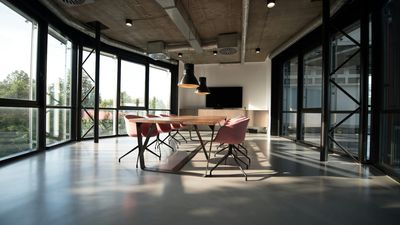
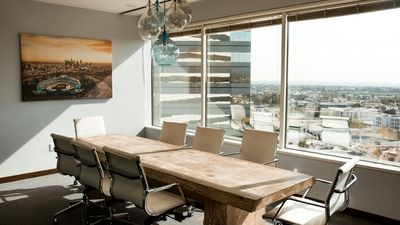
Yönetim Kurulu Salonu
Executive Boardroom
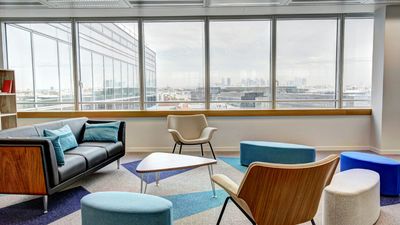
Gökdelen Şehir Manzarası
Penthouse Skyline
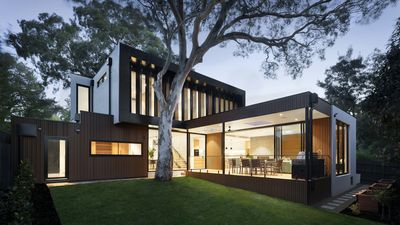
İskandinav Ahşap Mimari
Scandinavian Wood
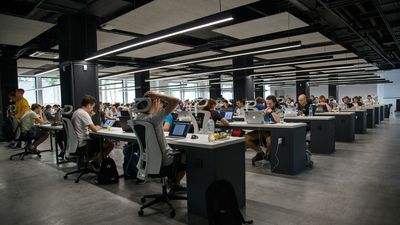
Aydınlık Minimalist Ofis
Minimalist Open Office
Klasik Yönetici Kitaplığı
Executive Library
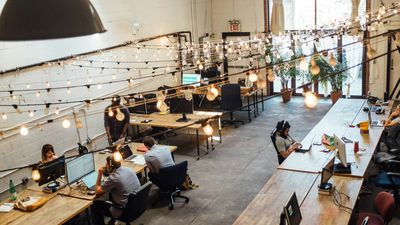
Kreatif Ajans Çatı Katı
Creative Design Loft
Yönetici Konferans Odası
Executive Conference
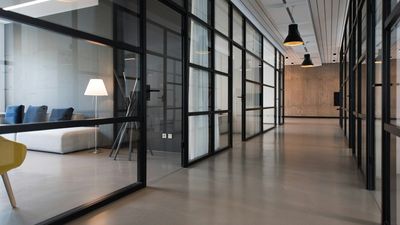
Cam Bölmeli Toplantı Odası
Glass Meeting Room
Bitkili Modern Dinlenme Alanı
Botanical Lounge
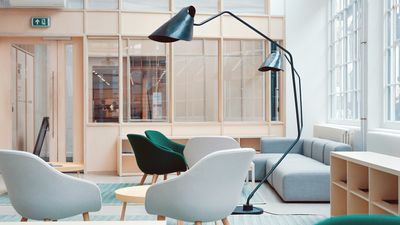
Teknoloji Stüdyosu
Tech Hub Studio
Sıcak Ev Çalışma Alanı
Cozy Home Studio
Lüks Mermer & Cam Salon
Luxury Marble Hall
Kurumsal Etkinlik Salonu
Corporate Event Hall
Çağdaş Mimari Galeri
Contemporary Architecture
İskandinav Kitaplık & Masa
Nordic Bookshelf & Desk
Panoramik Cam Teras
Panoramic Glass Balcony
Karanlık Siber Gradyan
Deep Cyber Gradient
Zümrüt Yeşili & Neon Dalgası
Bambl Emerald Wave
Profesyonel Stüdyo Bulanıklığı
Soft Studio Bokeh
Minimalist Beyaz Gün Işığı
Clean White Daylight
Click or drag custom background image
High resolution JPG, PNG or WebP (1920x1080 recommended)
Live Meeting Preview (16:9 Full HD)
100% Free • Native 1080p • Instant 1-Click Export
Upgrade to Dynamic Card
Want Attendees to Save Your Contact Details in 1 Second?

Connect your virtual background QR code to a luxury Bambl Digital Business Card. Prospects scan the code on your screen during sales calls and save your full profile, social links, Calendly, and phone number directly to their contacts.

Create Free Digital Business Card
100% Free Forever
Zero Watermarks or Ads
1920 x 1080 Native
Full HD Crystal Clear
Scannable vCard QR
Instant Lead Generation
Client-Side Privacy
Zero Server Storage

Generate Branded Meeting Backgrounds in 3 Simple Steps

Elevate your executive presence across Zoom, Microsoft Teams, and Google Meet in under 30 seconds.

01
1. Enter Your Details & Link

Type your name, job title, company, and the URL for your QR code (digital card, portfolio, or Calendly).

02
2. Choose Backdrop & Position

Select from 20 executive office backdrops, customize the glassmorphism theme, and pick top-right or top-left corner.

03
3. Check Safe Area & Download

Toggle the camera safe area guide to confirm your silhouette won't block the badge, then download 1080p Full HD JPG.

Why Branded Virtual Backgrounds Outperform Plain Blurred Cameras

First impressions in executive meetings and sales calls happen in the first 7 seconds.

Metric / Feature Plain / Blurred Camera Bambl Branded Background
Brand Identity & Professionalism Distracting home environment or generic blur Flawless executive boardroom, corporate logo & stylish badge
Contact Sharing (Lead Capture) Spelling email or lost links in meeting chat Participants scan QR code directly from screen in 1 second
Trust & Sales Conversion Average casual impression 3x higher recall and verified corporate authority
Cost & Equipment Requires expensive green screen or studio setup 100% Free with zero equipment needed

How to Apply Your New Background in 30 Seconds

Step-by-step instructions for Zoom, Microsoft Teams, and Google Meet.

Zoom Video Meetings

1. Open Zoom Settings > Background & Effects. 2. Click the (+) button > Add Image. 3. Choose your downloaded 1080p background. 4. Uncheck "Mirror my video" if QR code appears reversed.

Microsoft Teams

1. Before joining or during call, click Effects and Avatars. 2. Click More Backgrounds > Add New (+). 3. Upload your Bambl background and click Apply.

Google Meet

1. Click More Options (three dots) > Apply Visual Effects. 2. Under Backgrounds, click Upload Background Image (+). 3. Select your background file and join the call.

Who Needs a Branded Virtual Background?

From remote executives to sales professionals, discover how top performers use branded video backgrounds.

Sales Executives & Account Reps

Turn every sales demo into a contact capture opportunity. Prospects scan your QR code and book follow-up meetings.

Consultants, Coaches & Advisors

Establish instant credibility with high-end executive boardrooms and direct links to your Calendly calendar.

Job Seekers & Interviews

Stand out from hundreds of candidates. Link your QR code directly to your interactive Bambl resume and portfolio.

Webinar Hosts & Podcasters

Display broadcast-level lower thirds with your social handles and links for hundreds of live attendees.

Remote Team Leaders & CEOs

Maintain executive company presence during investor pitches, board updates, and global team all-hands.

Freelancers & Agency Founders

Impress new clients from the first second without needing a costly physical commercial studio lease.

Frequently Asked Questions About Virtual Backgrounds

Everything you need to know about resolutions, QR code scanning on video, and platform compatibility.

Yes! It is completely free with zero hidden watermarks, zero subscription fees, and no sign-up required. Download as many 1080p backgrounds as you need.

The industry standard is 1920x1080 pixels (Full HD) with a 16:9 aspect ratio. All backgrounds generated here are exported in exact 1920x1080 resolution so they will never stretch or crop.

Yes! Our high-contrast white rounded QR badge is engineered specifically for video call compression so smartphones can scan it easily right off their screen.

Zoom mirrors your video feed ONLY to you by default so it feels natural like looking into a mirror. Other participants see you in normal, unmirrored direction! If you want to see yourself unmirrored, simply uncheck "Mirror my video" in Zoom settings.

We strongly recommend Top-Right. In Zoom, Teams, and Google Meet, participants' video windows and platform controls never obstruct the top corners, and your head sits safely in the center.

The Camera Safe Area button displays a translucent silhouette of where your head and shoulders typically sit during a video call. It helps you verify that your badge won't be blocked before downloading.

Yes! Click the "Upload Custom Image" tab to upload your own high-resolution office photo, corporate graphic, or branded wallpaper.

Simply enter your Bambl profile link (e.g. https://bambl.me/yourname) in the QR link field. When scanned, clients open your interactive digital card with 1-tap contact saving.

Ready to Make Every Video Call a Networking Machine?

Create a free luxury Digital Business Card with Bambl and turn meeting attendees into lifetime connections.